Home Automation / Home Assistant setup with recommended hardware: The four-year update
Four years ago, I upgraded my Home Automation setup from a Raspberry-Pi based system to a more powerful and robust system running on an Intel Nuc. Since then, many things changed in the home automation world, both on the software and hardware side. Still, even some of the early choices have paid out in the end and remained fairly stable.
In this post, I want to share an update on my current Home Assistant setup, including all the hardware I’m currently (still) using. It has been around two years since I last wrote about my setup, and a lot has changed since then - new devices have been released, I’ve experimented with different integrations, and I’ve learned a lot along the way.
What did (not) change?
After several years in this home automation adventure, many things changed. However, some things in my setup also didn’t. Those patterns - the things that apparently work - are a great way to use as input to evaluate new approaches in the future. Things that “stuck” probably did something well. Some first learnings:
- Home Assistant remains my go-to tool: The basis remained the same all these years: It’s still powered by Home Assistant, running locally and on the same Intel Nuc. As a platform, HA became more robust and easy to use, which also translates to more fun developing, maintaining, and using our smart home. I did switch from a customer Docker-based setup to Home Assistant OS running through Proxmox. Updating the various add-ons using Docker Compose did take manual effort, and when life is busy, I only sometimes had the time to do that. While with HA OS, such actions are a simple click of a button (automatic backup included!). The downside is that it’s a single point of failure—however, the pros of efficiently managing the whole system outweigh that.
- Buy the best you can: Often also used as advice for buying cooking ingredients, spending a little more on premium devices worked out well. More expensive is not always better, but paying for features like stability, continuous software updates, and no cloud dependencies is worthwhile. For example, my Hue lights, now often updated through OTA updates in Zigbee2mqtt, are a stable core component of my setup. Or, spending a bit more on motion sensors that work well saves frustration when a sensor drops from the network. Of course, it doesn’t automatically mean that more expensive devices are automatically better, but it is something that I take into account.
- Keep it simple: Home automation is firstmost a hobby. This means trying many things, including hardware and software, and eventually breaking things and starting over. I’m currently at the fifth or so generation of my setup. Still, the opposite is often true for home automation as part of life: it must be stable and run reliably. Reducing the number of vendors (e.g., for lights) and ensuring every automation fulfills a need was key to finding a good balance there.
- Automate a lot, prepare for the exception: Currently, the number of buttons, dimmers, and switches in my house has dramatically reduced. Most lights work automatically based on motion sensors, light measurements, and time of day. No need to dim lights, start a scene or flip a switch. HA ensures that lights go on, dim during the evening and that our living room transitions from “working lights” to a colorful scene in the evening. Still, our mobile dashboard has a page with “kill switches” to turn off automations and disable specific automatic transitions. There is always an edge case that you cannot prepare for. A simple switch to turn off a “smart” feature can save the day.
These learnings all resulted in a new (or are the result of?) set of hardware that I’m currently using. The next few sections go more into detail on these choices.
Controllers
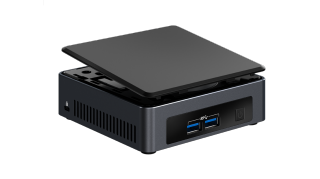
My first setup using the Nuc used Docker compose but since then I've switched to Home Assistant OS. While the Docker compose setup worked quite well, the ability to update add-ons easily from HA makes maintenance less of a hassle. By using Proxmox to run a virtual machine for Home Assistant OS I retain the flexibility to add additional services later on the same device.
Intel NUC
Using a Zigbee stick in combination with Zigbee2mqtt gives full flexibility in using smart home devices. The Nuc, therefore, also acts as my main hub for the Zigbee network.
- + Pros:
- Powerfull, runs all your services on one device. Home Assistant is more responsive, especially with a large network of devices. Can also run other services.
- − Cons:
- A lot more expensive than a single Pi. Higher learning curve to set up.
Sensors
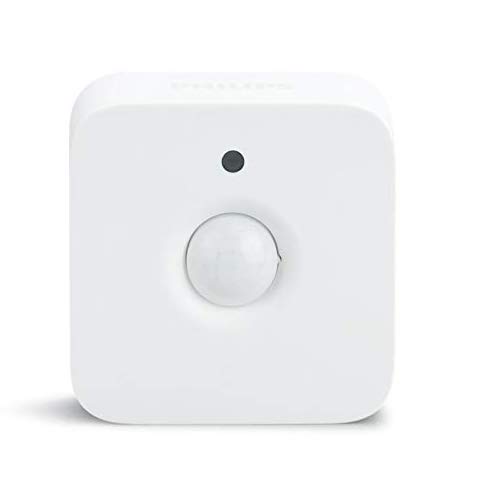
Philips Hue Motion Sensor
- + Pros:
- Fast response time. Realiable. Very precise light sensor. Can be installed using a magnet.
- − Cons:
- Not the cheapest sensor on the market. Larger than, for example, the Xiaomi motion sensor. Temperature sensor not very accurate.
Philips Hue Motion Sensor (Outdoor)
- + Pros:
- Easy to install in various configurations. Design looks nice. Feels sturdy.
- − Cons:
- Not cheap. Very sensitive, I have quite some problems with false positives. The sun affects the temperature sensor and will not be accurate for the ambient temperature.
Lights
I started out originally with a few Hue lamps combined with cheaper Ikea bulbs. Over the years, I've slowly moved to using mostly Hue lights. Their light quality, ease of use, availabiltiy of fimrware updates, and connectivity are great quality-of-life upgrades. They are pricier, though, so watching out for sales is recommended.
I'm still using a few Ikea and Innr lights in places, but as most of the lights are Hue, I'll focus on those here. If you prefer to spend a little bit less on your lights, the Ikea/Innr bulbs are a good alternative.
Why not smart switches? There is typically a debate between using smart lights and smart switches. Smart switches (e.g., Shelly devices) allow to re-use existing wall switches, are typically cheaper if you control more than one bulb, and, if wifi based, do not need a hub. However, my main selling point for smart lights is the option to change brightness, color, and light temperature per bulb. This is a feature I would not want to live without. Smart switches can dim, but you need smart lights for more features like changing colors. You can, of course, use both, but with smart enough automations, you would not need many switches.
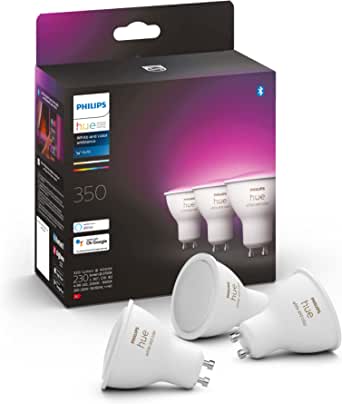
Philips Hue Color GU10
- + Pros:
- Very good color range. Great dimming capabilities. No problems with faulty bulbs (so far). Easy to connect. OTA (updates) through Zigbee2mqtt.
- − Cons:
- More expensive than alternatives.
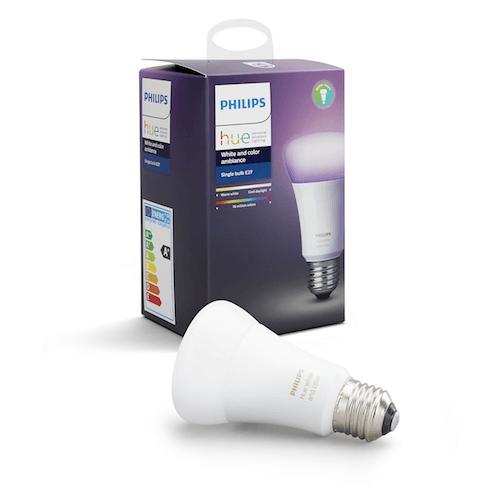
Philips Hue Color E27
- + Pros:
- Very good color range. Great dimming capabilities. No problems with faulty bulbs (so far). OTA (updates) through Zigbee2mqtt.
- − Cons:
- More expensive than alternatives.
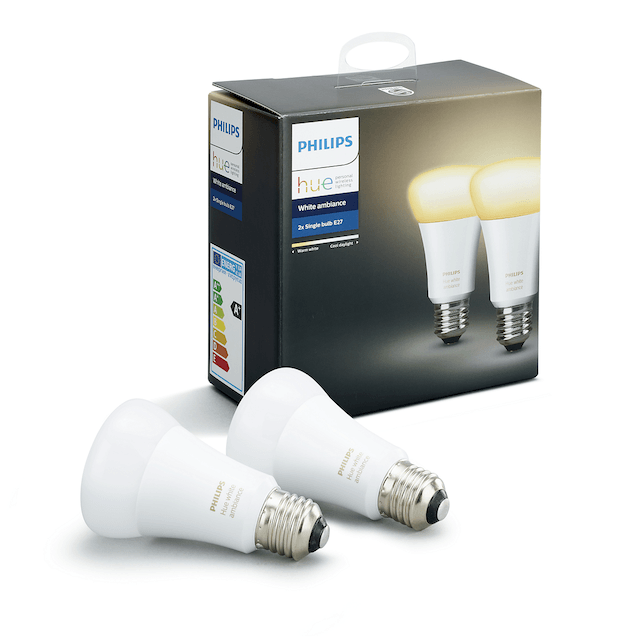
Philips Hue White Ambiance E27
- + Pros:
- Very good temperature range. Great dimming capabilities. No problems with faulty bulbs (so far). OTA (updates) through Zigbee2mqtt.
- − Cons:
- More expensive than alternatives.
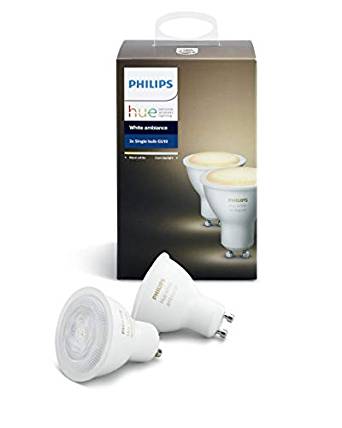
Philips Hue White Ambience GU10
- + Pros:
- Superb dimming capabilities. Nice color temperature range. OTA (updates) through Zigbee2mqtt.
- − Cons:
- More expensive than alternatives.
Heating
This part of my home automation adventure is still limited, but I plan to improve it gradually over time.
Aqara Smart Radiator Thermostat E1
Connecting this device was not the easiest, and I encountered a few network drops. It's a great device on paper, but more testing is required for the final verdict.
- + Pros:
- Nice design. Compatible with many radiators; a few adapters are supplied in the box.
- − Cons:
- I am still testing this device and encountered some connection problems. Based on your heating system, you might also need to be able to turn on your heating system itself (this device just controls a valve). Some features are not usable through Zigbee2mqtt (or at least not easily).
Plugs
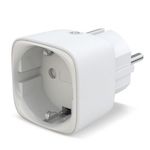
Innr smart plug
- + Pros:
- Good value for your money. Small form factor. Nice design (for a plug).
- − Cons:
- No power measurement in this configuration.
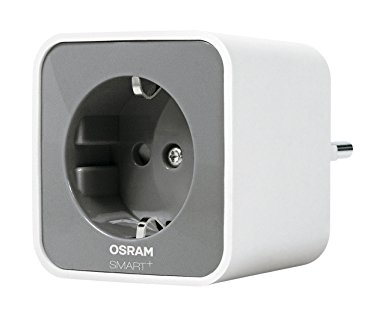
OSRAM Smart+ Plug (Sylvania in the US)
- + Pros:
- Good value for your money. Good zigbee meshing capabilities.
- − Cons:
- No power measurement (at least in Zigbee2mqtt/Deconz). A bit bulky in comparison to others (e.g., Innr).
Feedback? Questions?
Do you have a question or comment about this post? Feel free to reach out to me via the contact page.