On this page I keep track of my current Smart Home setup, built around Home Assistant, Deconz and Node-RED. So, if you are interested in my setup please read on. The list of devices I use has grown organically over time, sometimes based on a certain need (like a proper light sensor), and sometimes based on a specific sale or interest for a device. Still, if I had to start over I would still pick many of these devices for a second time.
Note: The pros and cons described here are my personal experiences.
Note 2: All trademarks, logos and brand names are the property of their respective owners. All company, product and service names used in this website are for identification purposes only. Otherwise, it would be very hard to explain which hardware devices or software I use or consider for my home automation project!
Controllers
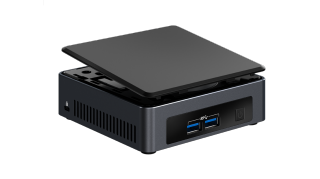
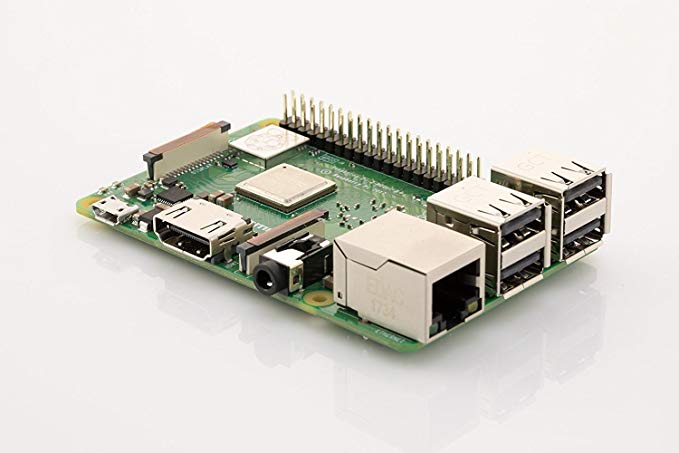
My smart home runs on Home Assistant, App Deamon, Node-RED, and Deconz. I started small with a set of Raspberry Pis. At some point, I required a bit more processing power and switched to an Intel NUC with Docker.
Intel NUC
Main controller of the system running all services through Docker.
+ Pros:
Powerfull, runs all your services on one device. Home Assistant is more responsive, especially with a large network of devices. Can also run other services. Docker (with Docker compose) gives more flexibility.
− Cons:
A lot more expensive than a single Pi. Higher learning curve.
My main Zigbee hub using software from Dresden Electronics, connected to my Intel Nuc. I use the v1 version, but a newer v2 version is now available. The ConBee is compatible with most of devices of Hue, Osram, Innr, Ikea and Xiaomi. I chose for the USB version so that I could always switch to another device if needed. As I started with a Raspberry pi, and then moved to an Intel Nuc this turned out to be a good choice.
+ Pros:
Huge list of compatible devices, see the [compatbility list](https://phoscon.de/en/conbee2/compatible). Nice interface for joining lights, sensors and switches. The GUI can be used to debug/view the Zigbee network (gives great insight in the mesh abilities).
− Cons:
More expensive than the flash-your-own Zigbee radios. Higher learning curve than the vendor hubs.
My first smart home setup consisted of Home Assistant, App Daemon and Node-RED are all running on a Raspberry Pi. Two other Pis, one for Deconz and one for PiHole, completed the set. While I could have ran all these services on a single device (like a NUC), I wanted to start small with a single Pi, and I have extended it since then. Currently, the Raspberry Pis have been replaced by a single Intel NUC.
+ Pros:
Cheaper / easier to start with.
− Cons:
Less room for future upgrades, SD cards will not run indefinately.
A tablet-powerd dashboard is a great way of interacting with your house. I use it as the main control panel that gives access to the most important features and settings. It's also a very convenient way of giving guests access to your smart home system without having them to install an app or browsing to a website.
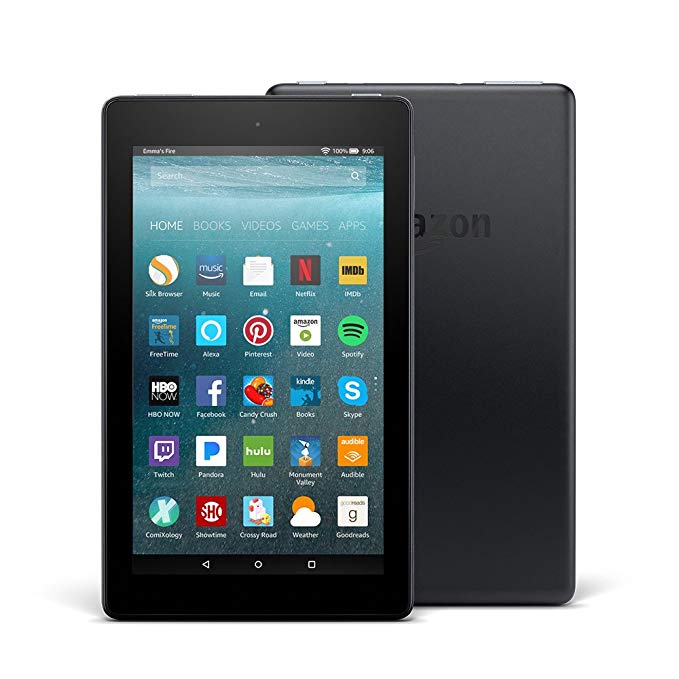
Amazon Fire Tablet
I use a basic Fire 7 tablet from Amazon for my dashboard. In combination with the [Fully Kiosk Browser](https://www.ozerov.de/fully-kiosk-browser/) it's a really conventient way of controling my smart home. Fire OS (what runs on these tablets) can be a bit limiting but, for me, is enough for running a dashboard.
+ Pros:
Good price
− Cons:
Not the fastests tablets. Not available in all countries. FireOS can be restrictive.
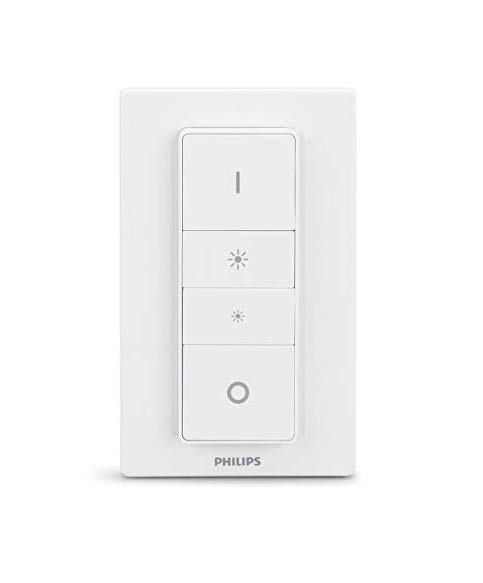
A four-button wireles switch that is often present in the starter packs of Philips Hue. Its intended use is to dim lights, however I use it as a remote for my Sonos-powered music system. Using Deconz and Node-RED I mapped the single buttons to music functions: shuffle, volume and skipping songs.
+ Pros:
Four buttons, wall mount using magnets.
− Cons:
Labels on the buttons (can be a pro or con). Bit more expensive than a single Xiaomi button.
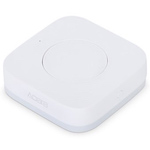
Very useful and cheap (around €7) switch with a single button. I have spread several of these around my house controlling a wide range of functions. They are especially usefull to add a simple light switch to rooms.
The Xiaomi hub is not required as it connects to my [ConBee](#hardware-conbee). An alternative is to run [Zigbee2mqtt](https://github.com/Koenkk/zigbee2mqtt).
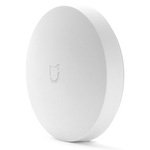
Comparable to the other switch (see above), but this one has a bit larger touch area. I use one in my kitchen as I can activate this switch with my elbows which is usefull during cooking. Its a bit more espensive though, usually around €9.
The Xiaomi hub is not required as it connects to my [ConBee](#hardware-conbee). An alternative is to run [Zigbee2mqtt](https://github.com/Koenkk/zigbee2mqtt).
+ Pros:
Larger touch area.
− Cons:
Not available locally. Bit more expensive than WXKG11LM.
Lights are the main 'output' of my smart home and are controlled by various inputs. As I use Deconz as my main Zigbee hub I'm not limited to a single brand. I have tested multiple brands (Hue, Ikea, OSRAM, Innr) and the lights I use the most are described here.
Philips Hue Color Bulbs
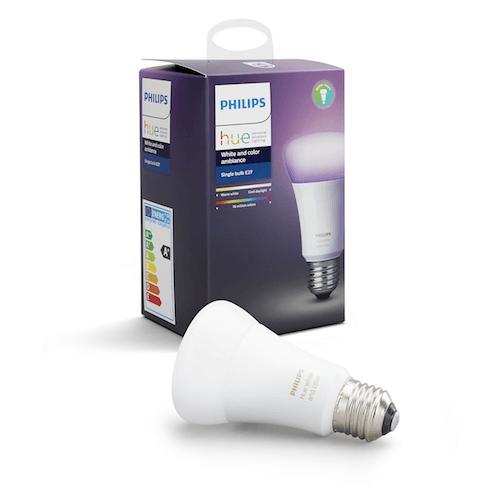
Although a bit expensive, the quality of these bulbs is very good and they have a great range of colors (in comparison to other lights I've tested). I use them to create some color highlights. For larger areas that do not need colors I went with the cheaper White Ambiance variant.
+ Pros:
Very good color range. Great dimming capabilities. No problems with faulty bulbs (so far).
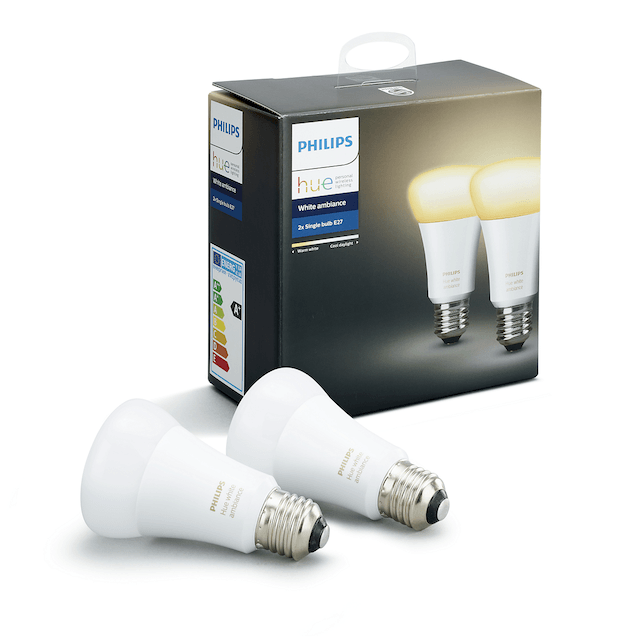
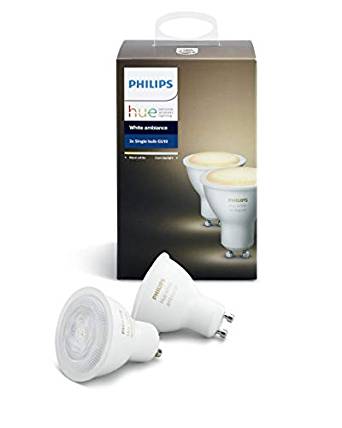
I use these lights as a cheaper alternative to the color Hue lights. I use them in places where controlling brightness and color temp is sufficient. Excellent dimming quality and the color warmth has the best range in comparison to the other brands.
+ Pros:
Very good temperature range. Great dimming capabilities. No problems with faulty bulbs (so far).
What can you do wrong with a €7 smart light? Not much. These lights are very good as a basic lights for rooms that do not need more than dimming. I did have some problems with some of these though, like flickering when they were off or not wanting to connect to my hub.
The Ikea hub is not required as it connects to my [ConBee](#hardware-conbee). An alternative is to run [Zigbee2mqtt](https://github.com/Koenkk/zigbee2mqtt).
+ Pros:
Great entry-level light. One of the cheapest Zigbee lights available. Decent light quality. Good value for your money.
− Cons:
Dimming capabilities are moderate, 1% brightness of this light is 10% of a comparable Hue light. Had some problems with faulty bulbs.
Highest quality GU10 Zigbee lights I found so far. Excellent dimming capabilities (great for night lights) and a wide color range. If they would have been cheaper I would have bought more of these.
+ Pros:
Superb dimming capabilities. Nice color temperature range.
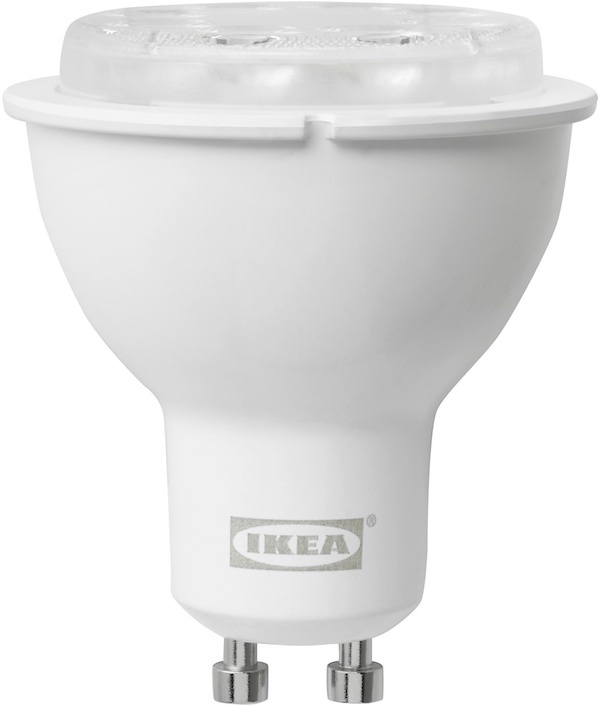
Double the price of the simple Tradfri light but includes adds color temperature. The range of temperatures and the dimming capabilties are still not great, but the lights have a very good value for the price. If you're not to picky for light quality, these lights are a great starter-buy.
The Ikea hub is not required as it connects to my [ConBee](#hardware-conbee). An alternative is to run [Zigbee2mqtt](https://github.com/Koenkk/zigbee2mqtt).
+ Pros:
Very good price. Decent light quality. Has color temperature support.
− Cons:
Dimming capabilities are moderate, 1% brightness of this light is 10% of a comparable Hue light. Setting temperature and brightness at the same time can be difficult ([more info]({{< ref "posts/ikea-tradfri-temp-and-brightness-with-home-assistant" >}})).
Smart plugs are an easy way to make dumb devices a bit smarter. For example, I use one to control the charger of my wall tablet and a second one to control my (non-smart) TV.
OSRAM Smart+ Plug (Sylvania in the US)
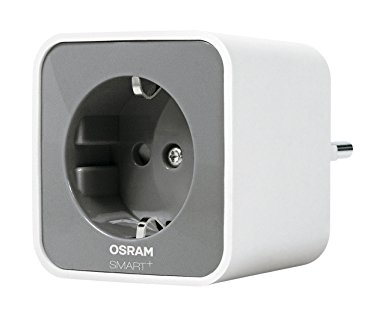
Simple plug that I use for adding on/off control to non-smart devices. I've only tested the EU OSRAM version, in the US this brand is available under the Sylvania name.
The OSRAM hub is not required as it connects to my [ConBee](#hardware-conbee). An alternative is to run [Zigbee2mqtt](https://github.com/Koenkk/zigbee2mqtt).
+ Pros:
Good value for your money. Good zigbee meshing capabilities.
Sensors are what transitioned my home from an *app powered* home to a *smart* home. Before I had any sensors, lights were controlled by an app (e.g. the Philips Hue app) and everything was manual. Now, with the introduction of these sensors, most lights can be turned on and off automatically.
Xiaomi Aqara motion sensor (RTCGQ11LM)
In my opinion, the best motion sensor for this price. I use this sensor in all places where I want to automate something based on motion. Usually sells for around €10 (keep an eye on sales!). The device also includes a light sensor but the sensor readings are very inaccurate. The motion detection range is quite good but large rooms will need more than one.
The Xiaomi hub is not required as it connects to my [ConBee](#hardware-conbee). An alternative is to run [Zigbee2mqtt](https://github.com/Koenkk/zigbee2mqtt).
+ Pros:
Best for the price. Small form factor.
− Cons:
Not available locally. Sends max. 1 update per minute.
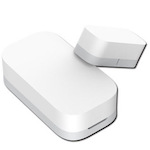
Door sensors are one of the most usefull sensors to integrate in to a smart home. They can of course be used as part of an alarm on both windows and doors. Moreover, my main use for them is to turn on lights when a door is opened. This makes sure that lights are on even if the motion sensors did not register the motion yet and results in a nice transition.
These sensors from Aqara are one of the cheapest available, but work great. They are really small and sell for around €7.
The Xiaomi hub is not required as it connects to my [ConBee](#hardware-conbee). An alternative is to run [Zigbee2mqtt](https://github.com/Koenkk/zigbee2mqtt).
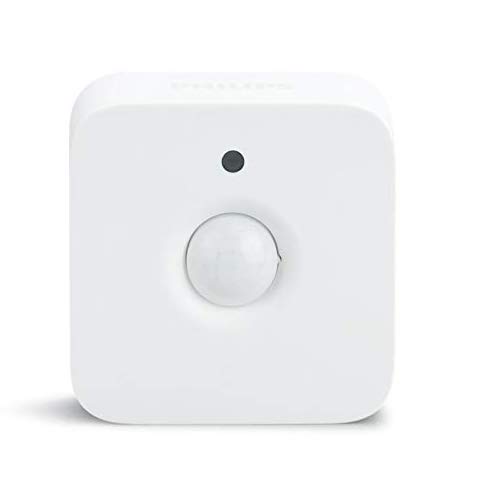
The Hue motion sensor is bit more expensive than the Aqara motion sensors and is also larger in size. I still bought one as the light sensors in the Aqara sensors are not very precise and I wanted to monitor natural light intensity.
+ Pros:
Very precise light sensor. Can be installed using a magnet.
Archived from the years this post accepted comments, 2019 to 2021.
Commenting is closed; for questions or remarks, use the
contact page.
M
MrNirual
Hey Wouter, I am new to Home Assistant and wanted to make my first steps with some Hue Lights and a Hue smart dimmer switch over zigbee2mqtt (1.1.1) and Home Assistant (hass.io 0.87.0).
I reset the switch and connected it and two lights successfully to hass via zigbee2mqtt. I can control the lights from there and I can see the mqtt messages created by the switch (in the zigbee2mqtt addon as well as in mqtt.fx) - but for some reason hass seems to think the switch (listed as sensor btw) is "unavailable" all the time. Did you have that problem, too?
I tried to reset the switch again but that doesn't change anything. I am not sure if that would even help as the mqtt message seem ok to me, it rathe seems to be a problem of hass.
As your setup is working I was wondering if I have overlooked something which you may have done?
Thanks a lot & kind regards, Nirual
Wouter Bulten
Hi Nirual, I think I know what is going on. Just as a disclaimer: I have used zigbee2mqtt only for a short while (when it was below 1.0) and have since then switched to a Conbee stick in combination with Deconz. Nevertheless, I do think that I know what's going wrong as I had the same problem when I started. This also holds for my current setup using Deconz.
The dimmer switch shows up as a sensor because it is event-based and not state-based such as the lights. Your lights have a state ("on" or "off") but the dimmer switch doesn't have a state (it just has four buttons). Instead, zigbee2mqtt sends a mqtt event every time a button is pressed. In your automations you should be able to create a trigger based on these events. That the sensor state is "unavailable" doesn't really matter as there is no state between button presses.
M
MrNirual
Hi Woulter, thanks for your quick reply. Actually in this specific case it was a matter of "restart the pi", I guess the zigbee2mqtt stick was in a bad state somehow which was resolved by the restart. Now it works! :-) The mqtt messages are correctly accepted and I have some automation scripts to use the dimmer switches as well, even though it is not exactly the same as when the dimmer is directly synced to the lamps. I wanted to use the "detour" over hass to help me understand how to use hass for automation.
I am looking forward to reading further posts of yours, they are informative to read and written intelligibly - thank you!
Wouter Bulten
Hi Nirual, thanks for the compliments! Good to hear that you figured it out :)
I
inquanto
Hey there,
Could you maybe point me in the right direction of how to trigger node red automations from a deconz device. Im using hassio with a conbee ii and a Xiaomi Aqara wireless switch. It is all setup on the hass.io side and it registers as a deconz event when i press the button. I just installed the nodered addon but im kinda lost on how i would detect that deconz event? or would i connect to the deconz server directly? Its all running on the same pi in my case... Any help would be much appreciated thanks!
Wouter Bulten
Hi! In nodered you can listen for general events from Home Assistant. In that case you need to filter for deconz events. In each deconz event you can find the device that triggered it. No need to directly connect nodered with deconz.
I
inquanto
Hey, thanks a lot I managed to get it working now :)
M
Maikel van den Brink
Hi Wouter,
Ik gebruik een Raspberry Pi 4 samen met een Conbee2 stick. Echter vind hij de lampen van IKEA wel maar na het toevoegen kan ik ze niet bedienen. Bijvoorbeeld aan, uit of dimmen.
Weet jij hier misschien raad mee?
Maikel
Wouter Bulten
Hi Maikel,
Given the language of my blog, I will reply in English; let me know if you would like to have a response in Dutch.
I use Deconz with Home Assistant. Do you mean that you cannot control them in HA? Or not in Deconz? For Deconz you will need to add the lights to a group first, then you can control that group or the individual lights.
J
Jaap Both
Hello Wouter,
I could use some advice to connect an osram smart+ plug to home assistant. Unfortunately my Vera system uses a different type of Zigbee. Reading that you connected that plug to HA, I tried to do the same but so far without success.
Currently Mosquitto broker 5.1 and Zigbee2mqtt 1.13.0 are running mostly with default configuration but no Zigbee device is detected when I reset it.
What am I missing? What were your settings to get the connection working? Any tips about how you proceeded are appreciated.
Regards,
Jaap
Wouter Bulten
Hi Jaap, unfortunate to hear that you can't get it connected. I have been using the Conbee (with Deconz) for more than two years now for my zigbee devices. While I tested zigbee2mqtt at the start of my HA-adventure, I quickly switched to the Conbee as the platform was a bit more stable at the time. I have no experience with connecting the Osram plug to a zigbee2mqtt system. So, I'm not sure that I can help you with that. I can only recommend you to read up on the page about the plug [here](https://www.zigbee2mqtt.io/devices/AB3257001NJ.html), but you have probably already done that.
I'm sorry that I couldn't help you further today. Good luck!
J
Jaap Both
Hi Wouter,
Yes I found that page and tried the configuration but no auto discovery or pairing with the suggested configuration. Thanks anyway.
Jaap
G
Guilherme
Hello,
When you talk about Xiaomi you say "Not available locally", what you mean with that? You're using your ConBee which is zigbee locally in your network, so I'm a bit confused.
Wouter Bulten
Hi Guilherme! By "not available locally" I mean that you cannot buy them easily from local shops. You can find them more and more on Amazon but usually with quite a premium compared to the original prices. They are of course usable locally (=non-cloud) in your Zigbee network.
T
Thomas Bøg Petersen
Hi
Im trying to make a HA to, and have looked at your devices.
How can the Xiaomi Aqara wireless switch (WXKG01LM) trigger the Armed_Away status for the Alarm Controle Panel ?
So you can arm the alarm with one of the Xiaomi Aqara wireless switch (WXKG01LM)?
Wouter Bulten
Hi! This post is more of a summary of the devices I use and I don't use the alarm panel function (yet). So I can't say for certain how you could do it. I do however have an idea. I think you can make an automation that triggers a service call on the alarm. For example, look at this snippet from the [HA docs](https://www.home-assistant.io/integrations/manual/):
```yaml
automation:
- alias: 'Disarm alarm when door unlocked by keypad'
trigger:
- platform: state
entity_id: sensor.front_door_lock_alarm_type
to: '19'
# many z-wave locks use Alarm Type 19 for 'Unlocked by Keypad'
action:
- service: alarm_control_panel.alarm_disarm
entity_id: alarm_control_panel.house_alarm
```
In your case, you will need to change the 'trigger' to something from the switch and probably use a different service. Maybe ` alarm_arm_away` but I'm not sure. That's something you could find out in the services page of your HA install. Good luck!
L
Luc Van Dyck
Was wondering how you pair the Philips hue (or other brand) lights with Conbee. On this blog, https://dotnetcoder.dk/2020/how-to-pair-philips-hue-bulbs-with-conbee-2/ , a remote is used to switch on the light and then it can be discovered by Conbee. How do you do it?
Wouter Bulten
Hi Luc, That is indeed the easiest way. See also the [deconz website](https://phoscon.de/en/support#hue-light-reset). I currently have my Hue lights on the Hue bridge, next to the Conbee (to test some things from the Hue ecosystem specifically). You can also try the app method (see the deconz link) or maybe something like [hue-thief](https://github.com/vanviegen/hue-thief) but I don't have experience with that, unfortunately.
E
Eddy the Eagle
Hi Wouter,
What a nice post!
The NODERed examples are nice.
I have a NUC, with an ESXI server, where Home Assitant resides as a VM.
I do some stuf with camera's and i notice when i turn a PTZ camera, it takes a while when i see it turning in my lovelace app.
I wonder if i install HA right away (without ESXI) if this delay is gone.
What do you think?
Thank you,
Eddy
Wouter Bulten
Hi Eddy,
Thanks! I don't have experience with ESXI and running HA in a VM so I won't be able to give you any hard advice. Of course, the more layers the more performance you potentially lose. Camera's usually stream directly from the camera to the lovelace interface, so I'm not sure how much of the slow reaction time is caused by HA/the VM. Or are you doing any processing of the images in HA itself?
Running it directly on Docker is faster (I would assume) and gives more control/freedom, but also comes with more maintenance work. It's up to you if it is worth it :) For me it was a great way to learn more about Docker and running containers.
Regards, Wouter
E
Eddy the Eagle
Hey Wouter,
Thanks for you replay.
I investigated some things an found a huge cpu load on de camera. Also that there was a camera motion detector wich play a part also. I decreased framerate and set the motion detector to zero.
This was a huge performance upgrade!
Te camera was to busy to communicate, i guess.
Greetings,
Eddy
Wouter Bulten
Great that you managed to solve it. Good luck with your HA adventure :)


MrNirual
Hey Wouter, I am new to Home Assistant and wanted to make my first steps with some Hue Lights and a Hue smart dimmer switch over zigbee2mqtt (1.1.1) and Home Assistant (hass.io 0.87.0).
I reset the switch and connected it and two lights successfully to hass via zigbee2mqtt. I can control the lights from there and I can see the mqtt messages created by the switch (in the zigbee2mqtt addon as well as in mqtt.fx) - but for some reason hass seems to think the switch (listed as sensor btw) is "unavailable" all the time. Did you have that problem, too?
I tried to reset the switch again but that doesn't change anything. I am not sure if that would even help as the mqtt message seem ok to me, it rathe seems to be a problem of hass.
As your setup is working I was wondering if I have overlooked something which you may have done?
Thanks a lot & kind regards,
Nirual
Wouter Bulten
Hi Nirual, I think I know what is going on. Just as a disclaimer: I have used zigbee2mqtt only for a short while (when it was below 1.0) and have since then switched to a Conbee stick in combination with Deconz. Nevertheless, I do think that I know what's going wrong as I had the same problem when I started. This also holds for my current setup using Deconz.
The dimmer switch shows up as a sensor because it is event-based and not state-based such as the lights. Your lights have a state ("on" or "off") but the dimmer switch doesn't have a state (it just has four buttons). Instead, zigbee2mqtt sends a mqtt event every time a button is pressed. In your automations you should be able to create a trigger based on these events. That the sensor state is "unavailable" doesn't really matter as there is no state between button presses.
MrNirual
Hi Woulter, thanks for your quick reply. Actually in this specific case it was a matter of "restart the pi", I guess the zigbee2mqtt stick was in a bad state somehow which was resolved by the restart. Now it works! :-) The mqtt messages are correctly accepted and I have some automation scripts to use the dimmer switches as well, even though it is not exactly the same as when the dimmer is directly synced to the lamps. I wanted to use the "detour" over hass to help me understand how to use hass for automation.
I am looking forward to reading further posts of yours, they are informative to read and written intelligibly - thank you!
Wouter Bulten
Hi Nirual, thanks for the compliments! Good to hear that you figured it out :)